
MEPCO Meter Reading 2026: How to Check & Submit
Your entire MEPCO bill starts with one number: the meter reading. Every single unit you are charged for comes from a simple subtraction — this month’s reading minus last month’s reading, multiplied by your tariff rate. Yet most consumers never look at their meter, trusting blindly that the number on the bill is correct.
That trust can be expensive. Wrong readings — whether from human error, faulty meters, or estimated billing — are among the most common causes of inflated electricity bills in Pakistan. A single misread digit can add hundreds or even thousands of rupees to your bill. Understanding how to read your meter puts you in control: you can verify every bill, catch errors before you pay, and never be overcharged silently.
This complete 2026 guide teaches you to read both digital and analog electricity meters step by step, calculate your consumed units with confidence, and submit your own readings to MEPCO — so the bill always reflects reality, not guesswork.
How to Read a Digital Electricity Meter
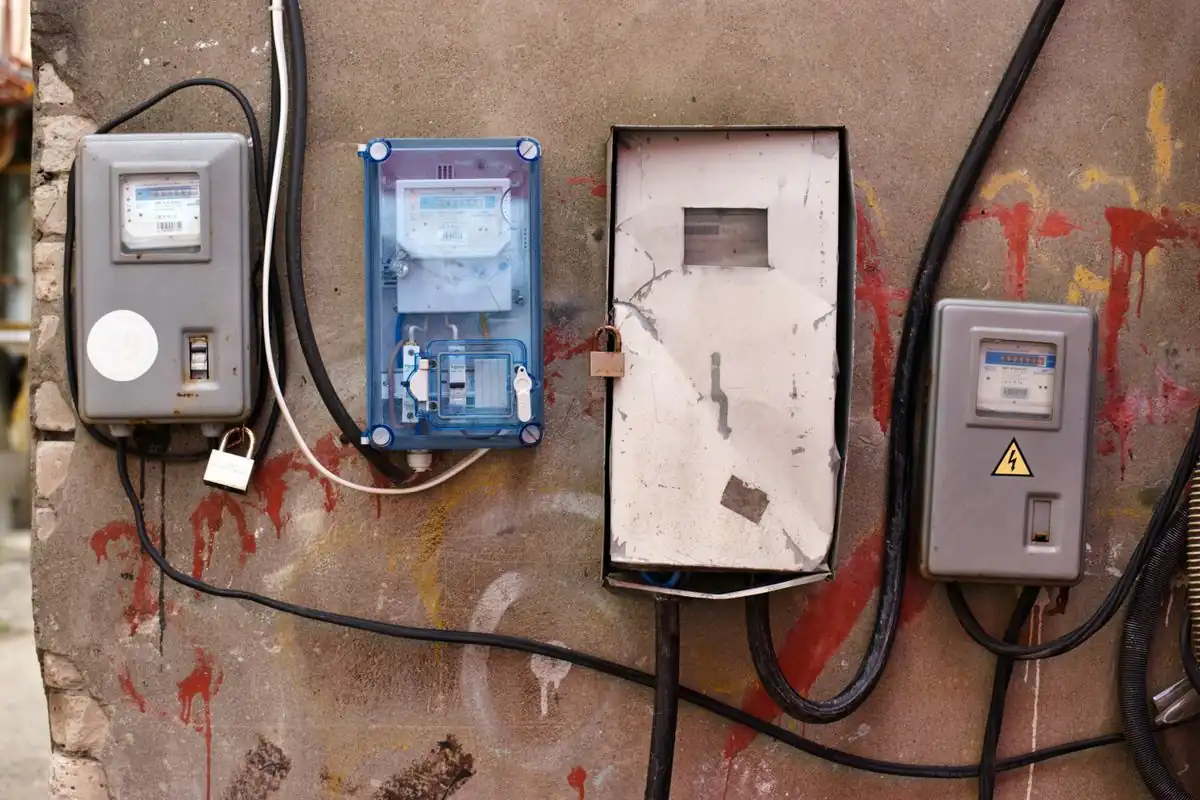
Most MEPCO meters today are digital. The display cycles through several values — look for the one labeled kWh (kilowatt-hours). That number is your current reading. Ignore values labeled kW (instantaneous load) or other codes.
- Step 1: Find the digital display on your meter.
- Step 2: Wait for (or press the button to reach) the kWh screen.
- Step 3: Note the full number — e.g. 12,650.
- Step 4: This is your current reading in units (kWh).
How to Read an Analog (Dial) Meter
Older analog meters have 4–5 dials with pointers. Read each dial left to right: if the pointer is between two numbers, take the lower number. Note that alternate dials run in opposite directions — follow the numbers printed around each dial, not the pointer’s rotation.
Example: dials showing 1-2-6-5-0 = reading of 12,650 units.
Calculating Your Monthly Units

The formula is simple:
Units consumed = Current reading − Previous reading
Example: your meter shows 12,650 today, and last month’s bill showed 12,400 as the previous reading. Units = 12,650 − 12,400 = 250 units. Compare this with the “units consumed” on your bill — they should match. Once you have your units, estimate your bill with our calculator.
How to Submit Your Meter Reading
If the MEPCO reader cannot reach your meter, you can submit the reading yourself to avoid an estimated bill:
- Note your reading on the scheduled reading date (check past bills for the pattern).
- Photograph the meter clearly showing the reading and meter number.
- Submit via your subdivision office, the MEPCO helpline 0800-63726, or the relevant PITC portal option.
- Keep the photo until the bill arrives — it is your proof if the reading is disputed.
Estimated vs Actual Readings
When no reading is taken, MEPCO issues an estimated bill based on your history. The difference is adjusted once an actual reading comes in — but a long run of estimates can push you into a higher slab in one month. Submitting your own reading prevents this.
Meter Reading Schedule Tips
- Read your meter on the same date each month for consistent tracking.
- Keep a notebook or phone note with monthly readings — a personal consumption history.
- Ensure the reader can access your meter (unlocked gate, clear path) on reading days.
- If your meter is inside, consider moving it outside or arranging access.
- Report a stuck or blank display immediately — a dead meter leads to estimates.
How do I check my electricity meter reading?
On a digital meter, read the kWh display. On an analog meter, read the dials left to right, taking the lower number when a pointer sits between two digits.
How are my bill units calculated?
Units = current month’s meter reading minus last month’s reading. Compare the result with the units printed on your bill.
What if the meter reader never comes?
You will get an estimated bill. Submit your own reading (with a photo) via the subdivision office or helpline 0800-63726 to get an actual bill.
My meter display is blank. What should I do?
Report it to your subdivision office immediately. A non-working meter leads to estimated billing and possible disputes later.
Can I dispute my meter reading?
Yes. Photograph your meter, compare with the bill’s reading, and submit a correction request — see our bill issues guide for the full process.
How often should I check my meter?
At least once a month, on the same date. It takes 30 seconds and is the best defense against billing errors.
Conclusion
Reading your meter is a 30-second habit that protects you from every common billing problem — overbilling from misread digits, inflated estimated bills, and faulty meter charges. It’s the single most empowering thing you can do as an electricity consumer.
Start this month: note the kWh reading on your meter, snap a clear photo showing the full display, and compare it with the reading printed on your bill when it arrives. If they don’t match, you now know exactly how to file a correction. Your meter doesn’t lie; make sure your bill doesn’t either.